MailerLite Homepage Teardown: From Single Email Tool to 5-Product Suite
Over 11 years, MailerLite turned its homepage from a single-product email pitch into a five-product platform headline — "Create email marketing automations landing pages signup forms websites your audience will love" — while keeping "Lite" in the brand and adding a section called "Keeping it Lite" to pre-empt the obvious objection. This teardown walks through what changed in the navigation, CTAs, and headings between 2015 and 2026, and what the pattern means if you're running a simple tool that's quietly becoming a suite.

Quick answer
MailerLite's biggest homepage change between 2015 and 2026 was rewriting its H1 from a single-product email pitch into a five-category platform headline: "Create email marketing automations landing pages signup forms websites your audience will love." The page now speaks to solopreneurs and independent creators who already know they need a full marketing suite — not first-time email tool buyers. If your brand name signals simplicity but your H1 lists five products, you need a named section on the page that pre-empts the complexity objection — or you will lose the buyers who chose you for being simple.
H1 expanded from single-product to five-category pitch
Audience segment named directly in navigation
"Sign up free" + "Watch demo" dual CTA
Anti-complexity promise added as platform expanded
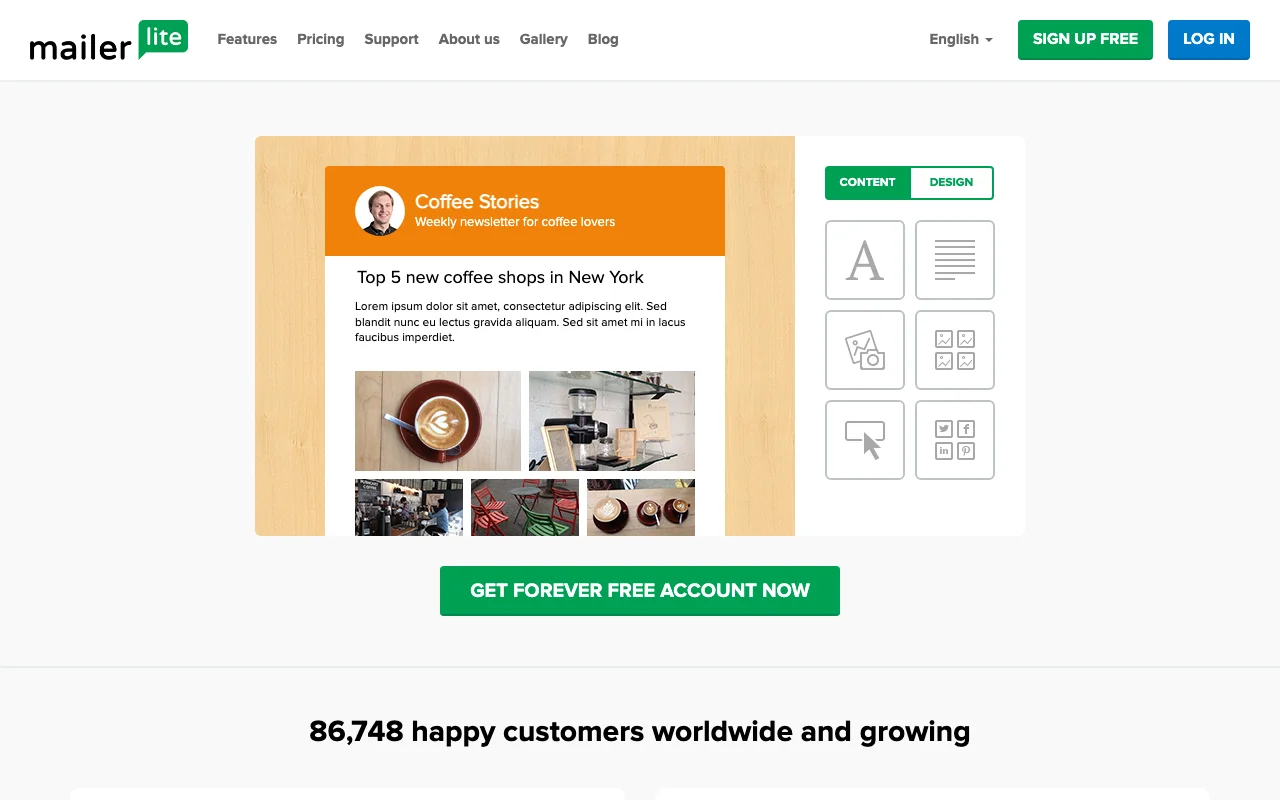
Homepage snapshots over time
Each thumbnail shows the above-the-fold area of the homepage at that point in time. Scroll to compare.
Biggest visible changes
Three moments that capture the arc of the evolution.
The original: product-led messaging
Click to view full screenshot
- 01
H1 opens with a direct product statement focused on email simplicity.
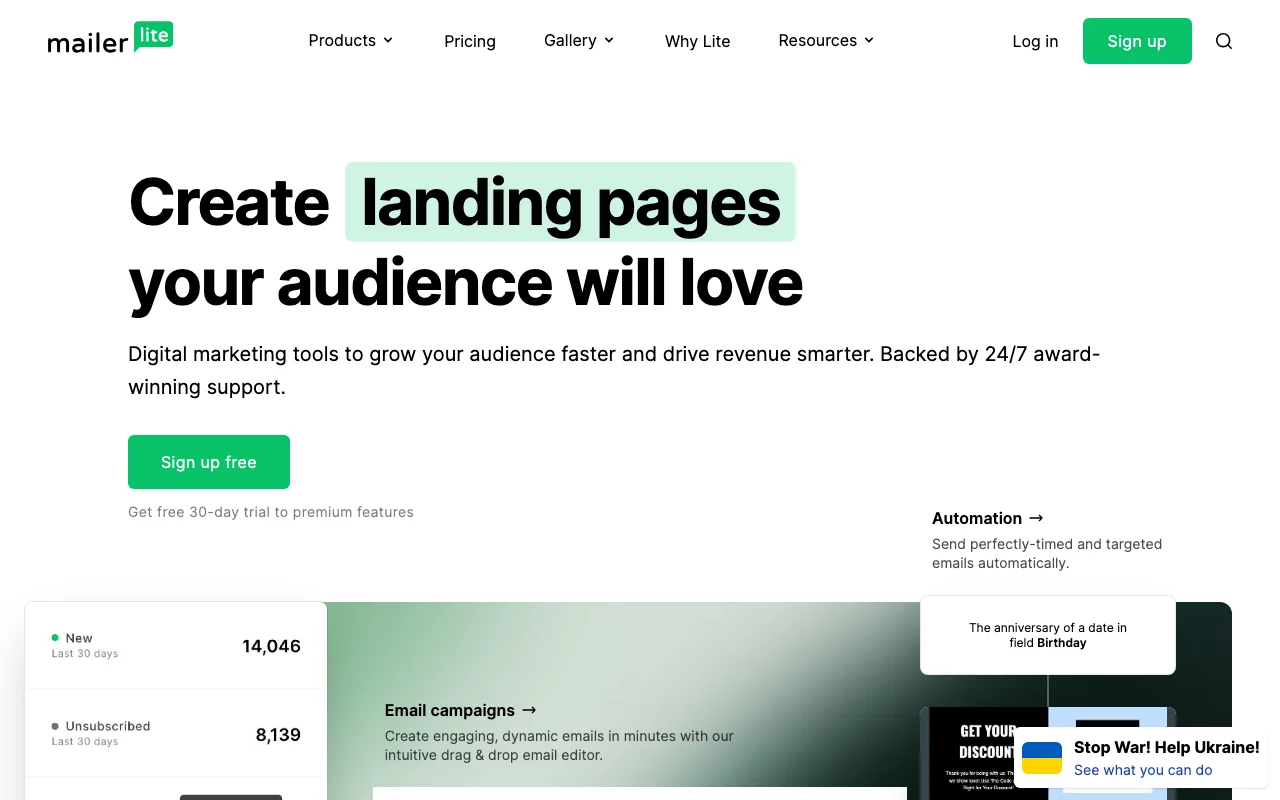
Mid-period: signs of a structural shift
Click to view full screenshot
- 01
Visual similarity to the previous snapshot: unknown — a moderate visual change.
- 02
Changes across this period appear incremental rather than a single redesign event.
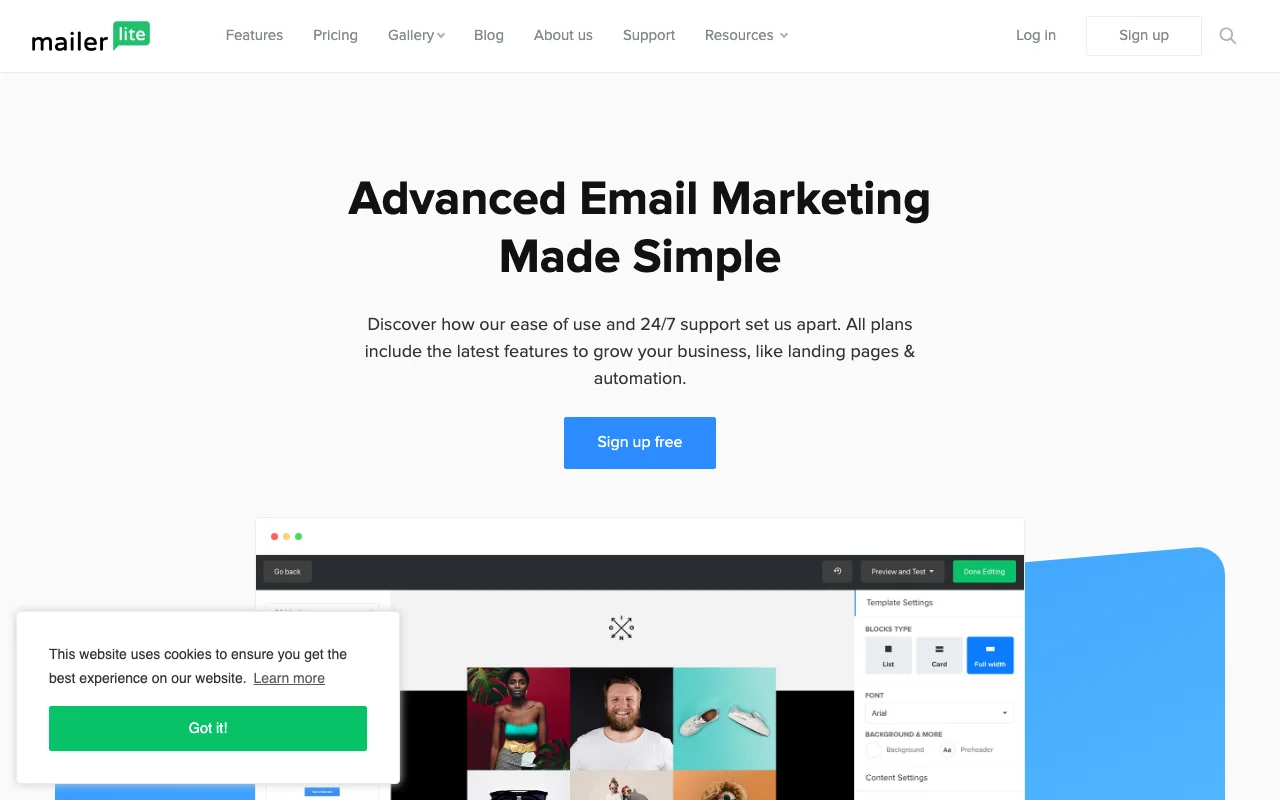
Today: updated positioning
Click to view full screenshot
- 01
H1 now reads: "Create email marketing automations landing pages signup forms websites your audience will love" — updated value proposition.
- 02
New section headings include: "You're in good company", "Customer support is always here to help you", "Templates that work".
How the language changed
Verbatim text extracted from page snapshots. No paraphrasing.
"Send Beautiful Emails"
"Create email marketing automations landing pages signup forms websites your audience will love"
Reading: This change can be read as a deliberate update to the primary value proposition frame. No confirmed strategy is implied.
These are observations based on text extracted from archived pages. They are not confirmed internal strategy.
What appeared and what disappeared
None in this period
How the content architecture shifted
- +You're in good company
- +Customer support is always here to help you
- +Templates that work
- +Keeping it Lite
None in this period
Why it changed
The business context behind MailerLite's redesign
MailerLite launched around 2010 as a deliberately simpler, cheaper alternative to Mailchimp. The name was the product promise: lighter tooling, faster setup, and a free tier that let small businesses and bloggers start without a credit card. The email marketing category in 2010–2015 rewarded exactly this positioning — most competitors had grown bloated chasing enterprise.
Between 2017 and 2022, MailerLite added landing pages, a website builder, automations, digital product sales, and paid newsletter subscriptions. The homepage reflects this: the H1 now lists five product categories, and the navigation adds "Solopreneurs" as an explicit audience segment. These moves are consistent with a deliberate pivot toward the creator economy — independent creators who need to build an audience and monetize it without switching between five different tools.
The broader industry shift is the bifurcation of email marketing into two tracks: enterprise automation (HubSpot, Klaviyo) and creator monetization (Kit, Beehiiv, Ghost). MailerLite's "Keeping it Lite" section heading suggests it chose the second track and knew the risk: adding five products while keeping "Lite" in the brand requires the product to actually stay simple to use. For SaaS teams in adjacent categories, the question is not whether to add features but which track to commit to — the homepage must reflect that choice clearly.
What SaaS teams can study
Patterns worth borrowing
These are observations and inferences from MailerLite's homepage evolution — not confirmed company strategy.
Name your buyer in the nav, not just your product
NavigationMailerLite added **"Solopreneurs"** and **"Small business"** as navigation items — audience segments sitting alongside product categories. This signals that who you serve can be as navigable as what you sell. If your product serves two distinct buyer types, an audience-segment nav item may reduce the time a visitor spends searching for their use case.
Pre-empt the complexity objection with a named section
MessagingAs MailerLite's H1 expanded to list five products, the page added a section heading: **"Keeping it Lite."** This is an on-page objection response — addressing "is this still simple?" before the visitor has to ask. When your product expands, adding a named section that explicitly restates your core promise may retain buyers who chose you for simplicity.
A five-product H1 works only when the brand already has trust
PositioningMailerLite's current H1 lists five categories: **"email marketing automations landing pages signup forms websites."** This breadth claim works because the brand is recognized. For a newer product, listing five capabilities in the H1 before establishing a primary use case likely dilutes the message. Breadth signals platform maturity — use it only when visitors already know your name.
Dual CTA pairing: self-serve entry + demo path on the same page
FunnelMailerLite pairs **"Sign up free"** with **"Watch demo"** as co-primary CTAs. This serves two buyer intents simultaneously: the individual ready to try now, and the team buyer who needs to evaluate before committing. If your product is crossing from individual use to team purchases, adding a demo path alongside your free trial may capture the second segment without replacing the first.
Not sure why your page isn't converting?
I map your visitor intent against your current messaging and CTA structure, then tell you exactly where the drop-off happens and how to fix it.
Book a CRO auditSaaS Growth Marketer and fractional growth lead. I help B2B SaaS founders diagnose landing page, CRO, positioning, and analytics leaks before scaling traffic.